CHANGELOG
August 13, 2026
Cosmos Week 33 Release Notes
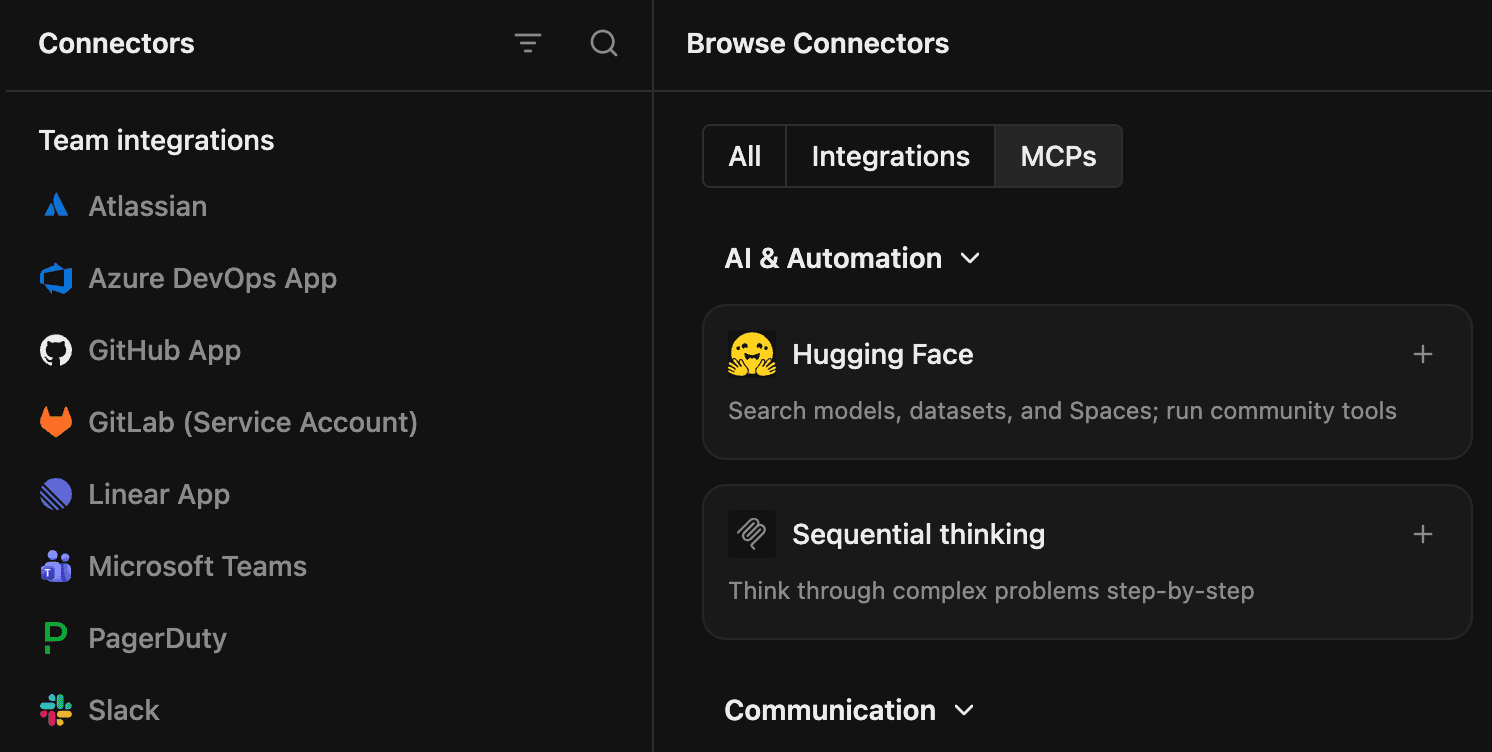
All your connections in one place
Integrations and MCP servers have all moved to a new experience in Settings > Connectors. Easily see what you have connected in the left pane and browse all available integrations and MCP servers on the right. Add a custom MCP server that is not listed in the marketplace by clicking Add Connector. You can also quickly see which MCP servers have connection errors or need your attention in the sidebar.
New features
- Restore earlier versions of files, link directly to Markdown headings, download binary files, and see recognizable names on comments.
- Personal profiles and Experts can now use icons, emojis, or uploaded avatars.
Improvements
- The integration catalog is now easier to browse and uses recognizable provider branding.
- Experts can now inspect reactions on Slack messages.
- Repository updates and environment rebuilds are safer, recover better from temporary failures, and provide clearer progress and error messages.
- Archived workers resume when contacted, worker activity is reported more accurately, and long reports are easier to view and copy.
- Cost Analytics now applies Cosmos filters consistently, supports better tag filtering, and calculates cost per session correctly.
- Expert lists now load faster.
- Command K finds results faster by searching synchronized local data first.
- File changes begin streaming sooner, and outdated clients can no longer recreate deleted files.
Bug fixes
- Chat history, queued messages, connection banners, startup progress, and switching between sessions now recover more reliably.
- MCP connections now recover more reliably during OAuth refreshes, reconnections, and startup.
- Sessions no longer crash on malformed messages or get stuck while switching conversations.
- Pinned folders and sessions keep their context, refresh after agent changes, and show unread activity correctly.
- The installed web app now leaves room for the iOS home indicator.
- Avatars no longer flicker repeatedly when an image is unavailable.